
How to Use an AI Resume Checker: A Step-by-Step Guide That Actually Gets Results
Using a resume checker well comes down to six steps: upload your resume as a PDF or DOCX, optionally paste the job description, read the score and flagged issues, fix what’s flagged, then rescan. Running that loop through an AI resume checker takes just a few minutes and usually returns a score in 5 to 30 seconds. Most employers now run resumes through some form of an Applicant Tracking System before a person ever opens the file, which is exactly the layer this workflow is built to clear.

The same handful of problems — bad parsing, missing keywords, non-standard formatting — knocks most resumes out before a human sees them. A checker used correctly catches those problems in the time it takes to upload a file, instead of letting them silently cost you an application.
The quick version: the full workflow in one look
Running an AI resume checker correctly is a repeatable six-step cycle, not a one-time upload. Each pass takes minutes, and the score usually comes back in 5 to 30 seconds once the file is in.
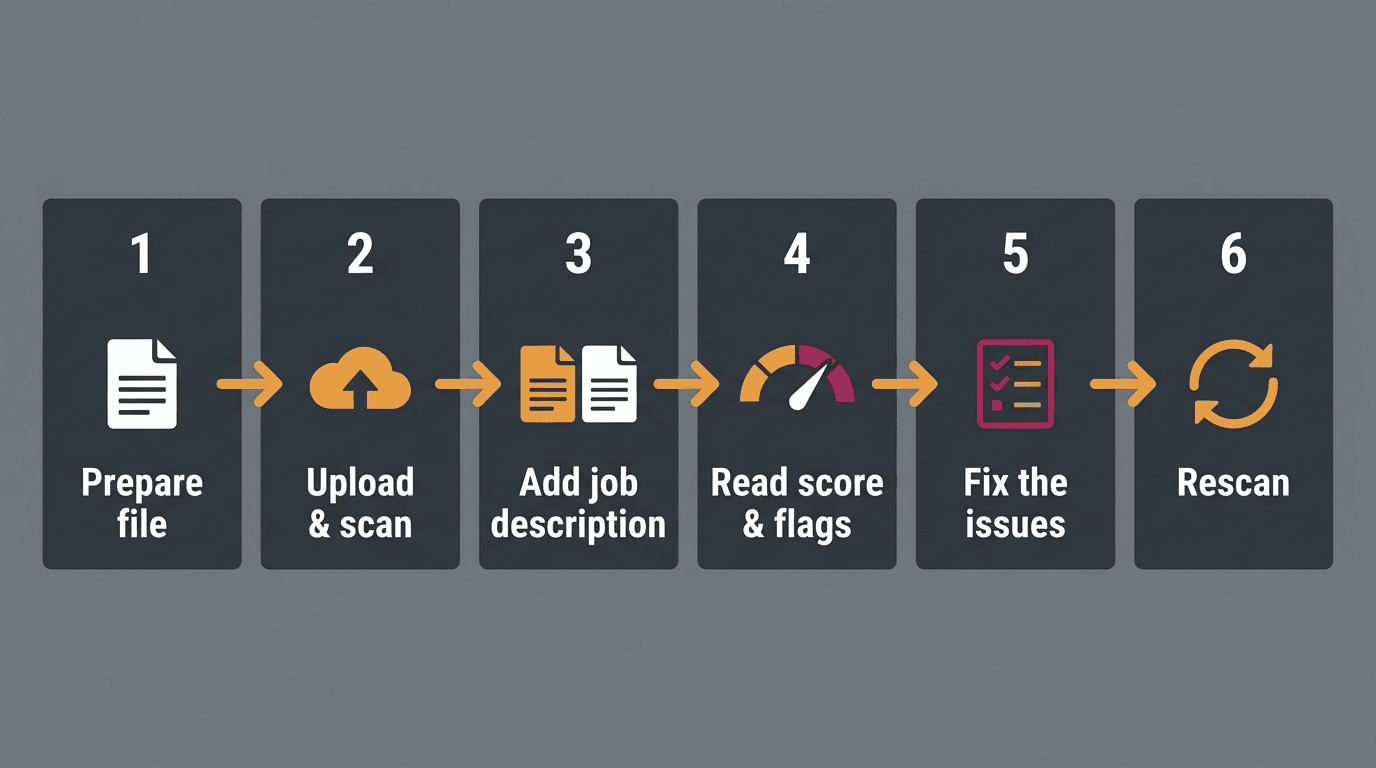
The six steps at a glance
- Prepare a clean, text-based PDF or DOCX under about 2MB.
- Upload the file and run the scan.
- Paste the job description, if you have one, for a match score.
- Read the ATS score and the flagged issues, not just the number.
- Fix the flagged issues, starting with the highest-severity ones.
- Rescan to confirm the score moved and the flags cleared.
An Applicant Tracking System is the software layer that stores, parses and ranks resumes for a hiring team before a recruiter opens one — it’s the audience this whole six-step loop is written for.
Step 1 — Prepare your resume file
Before you upload anything, the file itself needs to be in a format an automated parser can actually read cleanly. Skipping this step is the single most common way a good resume scores badly for reasons that have nothing to do with the content.
Use a text-based PDF or DOCX under 2MB
Almost every checker on the market — resume.io, Enhancv, Resume Worded — accepts a PDF or DOCX up to roughly 2MB. The file has to be text-based, not a scanned image: a scan looks fine to a human eye but is invisible to a parser. A fast way to check is to paste the resume’s contents into a plain text editor — if the text comes out in the right order, top to bottom, a parser will read it the same way. CareerOneStop, sponsored by the U.S. Department of Labor, is a solid reference point for resume formatting basics before you ever touch a checker.
Keep contact info in the body, not the header
Put your name, phone number and email in the body of the document, not the header or footer — many parsers skip those fields entirely. Stick to a single column, standard fonts, and avoid tables or graphics in any section that carries real content, since both can scramble the reading order a parser follows.
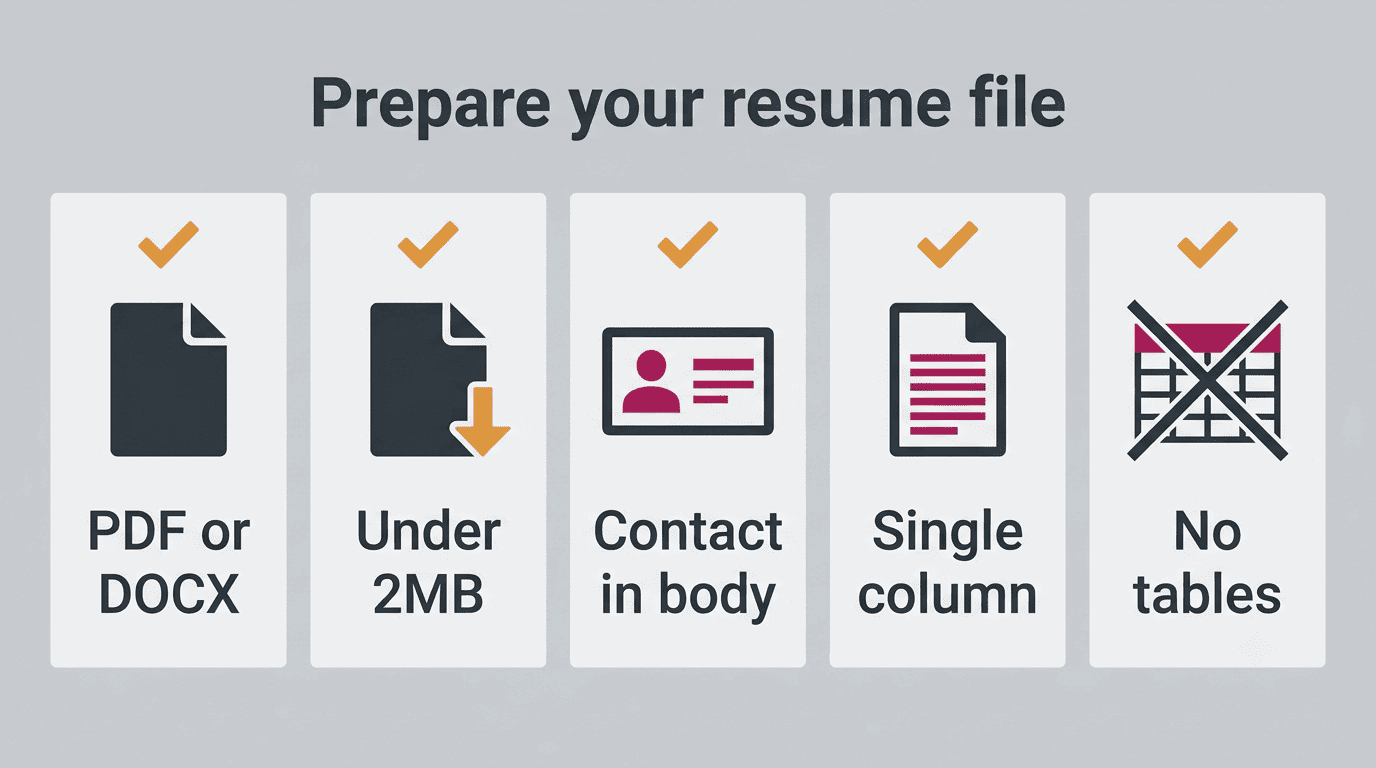
Before you upload, run through a short checklist:
- File is PDF or DOCX, not an image scan
- File size is under roughly 2MB
- Contact details sit in the body, not a header or footer
- Layout is single-column with standard fonts
- No tables or graphics inside sections that carry real content
Step 2 — Upload your resume and run the scan
Once the file is ready, the actual scan takes seconds. This is where you get your first honest read on how the resume performs before any human sees it.
Drag, drop, and read the first score
Drag the file in or select it manually, and the checker runs its checks immediately — anywhere from 16 checks on the lighter end (resume.io) to 37 signals on the more thorough end (UseResume). Within seconds you get a numeric score back. This is a good moment to run the first pass and check your resume with AI before you’ve made any changes, so you have a real baseline to compare against later.
Step 3 — Add the job description for a match score
A checker scanning a resume with no target job can only judge it in a vacuum. Adding the actual posting turns a generic score into something you can act on.
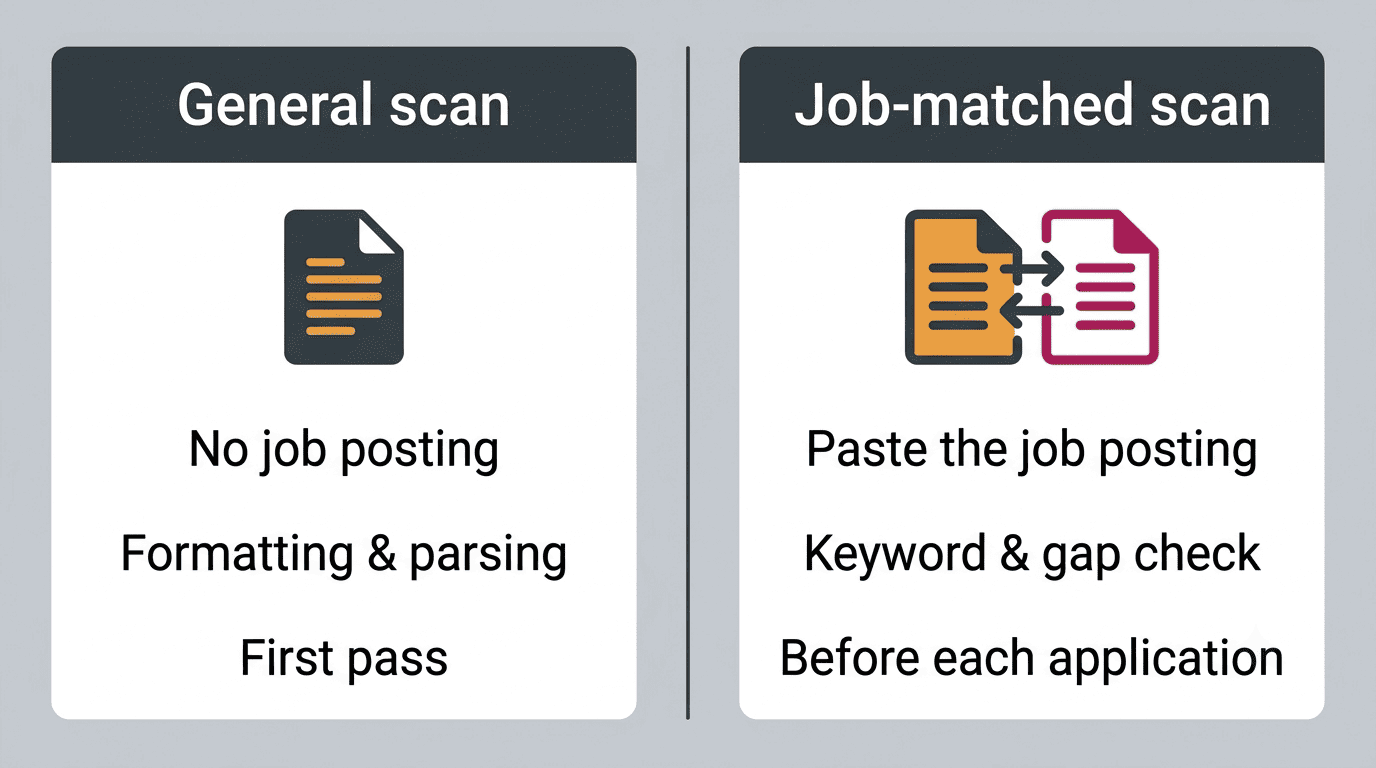
One resume, two scores
Paste in a specific job posting and the checker returns two numbers instead of one: a general score for overall quality and completeness, and a match score against that particular role. The match score is the more useful of the two — it shows exactly which of the job’s key requirements are missing from your resume text. Run this step separately for every job you apply to; a resume that matches one posting well can score poorly against a different one in the same field.
| Scan type | What it tells you | When to use it |
|---|---|---|
| General scan (no job description) | Overall formatting, parsing, and structure quality | First pass, before you have a target role |
| Job-matched scan | Keyword overlap and requirement gaps against one posting | Before submitting each individual application |
Step 4 — Read the score and the flags correctly
The number on the screen is only useful if you know what it’s actually measuring, and every tool sets its own bar.
What the number means
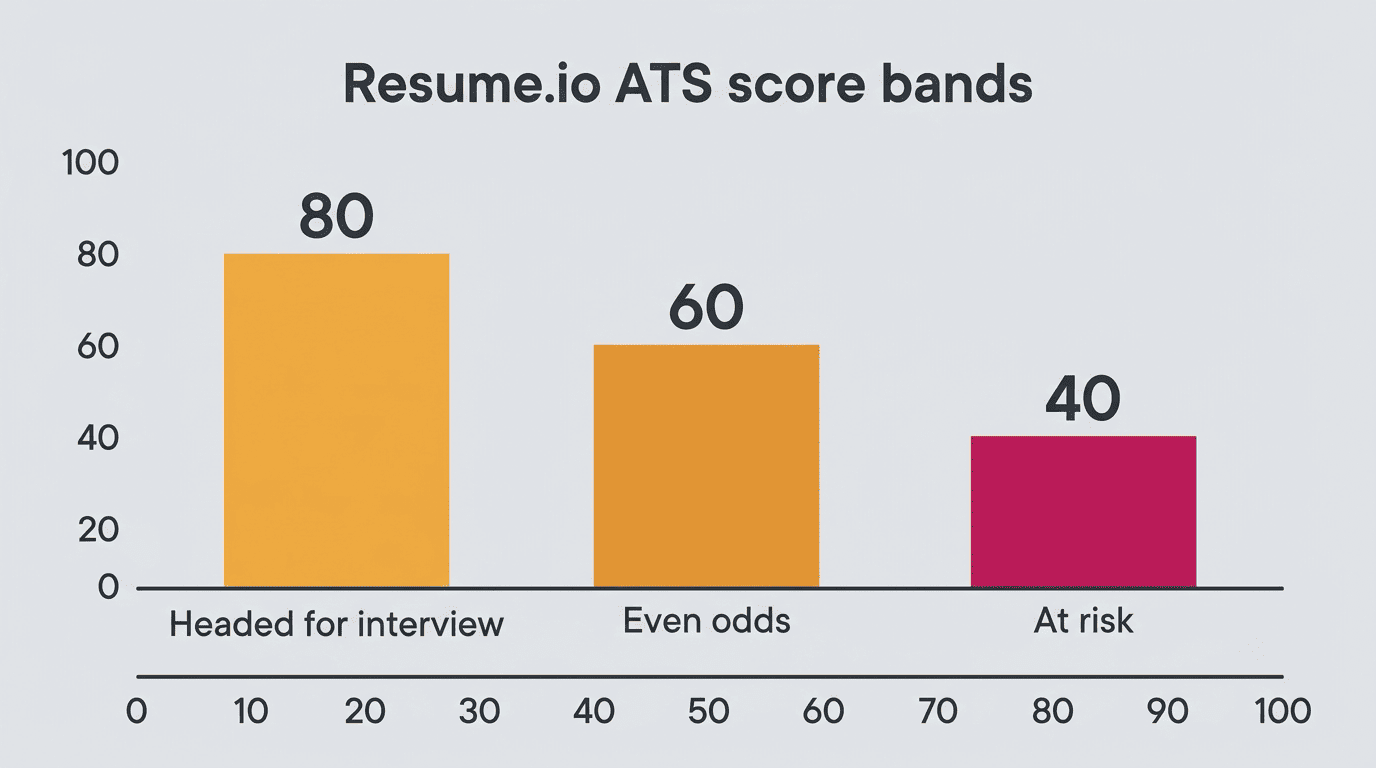
Thresholds vary tool to tool, and the same resume can land in a different bracket depending on which checker reads it.
| Tool | Score range | What it means |
|---|---|---|
| Resume.io | 80%+ | «Headed for interview» |
| Resume.io | ~60% | Roughly even odds |
| Resume.io | ~40% or below | At risk of not clearing the ATS |
| Resume Worded | 90-100 | Exceptional |
| Resume Worded | 85-89 | Strong |
| Resume Worded | 80-84 | Solid |
| Resume Worded | Under 80 | Room to grow |
Treat the number as a rough gauge, not a grade to chase for its own sake.
Prioritize by flag severity
The score is less useful than the individual flags underneath it, and those are usually ranked by severity — Rezi, for example, marks issues red for high-impact and yellow for mid-impact. Work the red flags first: unreadable sections, missing keywords, and broken date formatting do more damage to your odds than smaller cosmetic issues further down the list.
Step 5 — Fix issues and rebuild weak sections
A flagged issue is only useful once it becomes an actual edit. This step is where the score you got in Step 4 turns into a concrete punch list.
Add missing keywords in context, not as a dump. If the checker flags a keyword gap against the job description, work the missing term into a real sentence describing what you did — stuffing a skills list with unrelated terms tends to hurt more than it helps once a person reads the resume.
Quantify the achievements the flag calls out. A bullet that says you «improved efficiency» reads very differently from one that says you «cut processing time by 30%» — checkers and humans both respond to the number.
Rename non-standard section headings. A heading like «My Journey» instead of «Experience» can confuse a parser even though it reads fine to a person; swap it for a standard label.
Remove tables from sections that carry real content. Tables are the most common structural flag across checkers, since many parsers read them out of order or skip them.
USAJOBS, the U.S. government’s federal job site, publishes its own resume-writing guidance that’s worth checking against as you rebuild weaker sections, especially around formatting and section structure.
Step 6 — Rescan and track your progress
Fixing issues only helps if you confirm the fix actually landed — that’s what the rescan is for. Keyword mismatches are exactly the kind of flag worth rechecking closely, since they’re also the single biggest reason qualified applicants get filtered out before a person ever sees the resume.
Nearly nine in ten (88%) of employers say that qualified high-skills candidates are being vetted out of the hiring process because their resumes don’t match the exact keywords and criteria in the job description, even though they could do the job.
Harvard Business School, «Hidden Workers: Untapped Talent»
Edit externally, then re-score
Most checkers don’t let you edit the resume inside the tool itself — make your changes in Word or Google Docs, save the file, and upload it again. Watch which flags disappear and how much the score moves; that comparison is the real signal, more than the raw number on its own. Keep an eye on daily limits too — Big Interview, for instance, caps free scans at five a day, so plan your edit-and-rescan cycles accordingly. When you’re ready to run the loop again on a fresh version, a free AI resume checker works for as many rescans as your daily limit allows.
Before each rescan, confirm you actually addressed the prior flags:
- Every red or high-impact flag from the last scan has a matching edit
- The file was re-saved as a text-based PDF or DOCX, not exported as an image
- New keywords read naturally in a sentence, not dropped in as a list
- You’re still within the tool’s daily scan limit
Common mistakes to avoid
- Chasing a perfect 100% score instead of fixing the highest-severity flags first.
- Stuffing keywords unnaturally into a bullet list — a human recruiter notices this immediately, even if a parser doesn’t flag it.
- Scanning without a job description when one is available, which leaves you optimizing for nothing in particular.
- Rebuilding a resume around one tool’s specific quirks instead of general ATS best practices, which can hurt your score on a different checker.
A quick disclaimer worth keeping in mind through all six steps: an AI resume checker helps your resume clear automated filters and reads more cleanly overall, but it doesn’t guarantee an interview or a job offer — the score is a diagnostic, not a promise.