
AI Resume Checker: Free ATS Score & Instant Fixes
An AI resume checker scans your resume the way an applicant tracking system does, hands you an ATS score, and shows exactly which keywords, formatting issues, and weak lines to fix before you apply. It reads your file the way the software behind most job applications reads it, then translates that into a number and a punch list.
That matters because the software is nearly universal now. Roughly 97.8% of Fortune 500 companies run an applicant tracking system, according to Jobscan’s 2025 ATS Usage Report, and the U.S. labor market still had about 7.6 million open jobs as of the latest JOLTS report from the Bureau of Labor Statistics. A resume tuned to both the ATS and the job description gets a better shot at reaching a human recruiter — but no tool, including this one, can promise you the job itself. It only improves your odds of getting seen.

What Is an AI Resume Checker?
An AI resume checker is software that analyzes your resume the same way an ATS resume checker would: it looks at formatting, keyword usage, section order, readability, and overall content quality, then predicts whether a real system would filter your file out or pass it through to a recruiter. Most tools go a step further and compare your resume against a specific job posting when you supply one, which is what separates a generic resume grader from one that actually tailors advice to the role you want.
The category covers everything from free browser-based scanners to full resume analyzer suites built into job-search platforms. What they share is the same core job: predict the outcome of an automated screen before you find out the hard way, after you’ve already applied.
A typical scan looks at:
- Formatting — fonts, columns, headers, and whether the layout can be parsed at all
- Keyword usage — how closely your terms match the job posting
- Section order — whether work history, skills, and education appear where a parser expects them
- Readability — sentence structure and clarity for a human reviewer
- Content quality — strength of your bullet points and achievements
A tool that reads your resume like the software does
Because real hiring software strips out formatting, splits text into fields, and hunts for specific terms, a resume score checker tries to mimic that process on the front end. It flags the same things a parser would choke on — text boxes, unusual fonts, headers buried in graphics — and the same things a recruiter search would miss, like a skill mentioned once instead of woven through your work history.

How Does an AI Resume Checker Work?
Most tools follow the same basic sequence, whether they’re free or paid, and understanding the steps makes the resulting score much easier to act on.
- Upload your resume. PDF and DOCX are the two formats nearly every checker accepts.
- The parser reads the structure. It extracts your contact details, work history, education, and skills into separate fields, the same way an ATS resume checker does on the backend.
- The engine scores the result. You get an ATS score, usually out of 100, based on formatting, keyword match, and content strength.
- You see a breakdown by category. Better tools split the score into sections instead of giving you one flat number.
- You get line-by-line fixes. Weak bullet points, missing metrics, and unmatched keywords get flagged individually.
- You revise and rescan. Most people run two or three passes before they land on a version they submit.
Some of the more thorough tools run dozens of individual checks — Enhancv, for example, publicizes a framework of 27 checks across seven categories, spanning ATS essentials, content quality, tailoring to the job description, red flags like employment gaps, and seniority signals. The more categories a checker covers, the less likely you are to get blindsided by a rejection you can’t explain.
Reverse-engineered from real ATS behavior
The best resume analyzer tools don’t invent their own rules — they calibrate against how real platforms behave. Systems like Greenhouse, Lever, and Workday are the ones actually parsing and ranking resumes at scale, so a checker that’s tuned to their known quirks (how they handle columns, how they weight recency, what they do with headers and footers) gives you feedback that maps to what will really happen when you apply.
What Is an ATS Score — and What’s a Good One?
An ATS score is a numeric estimate, usually 0–100, of how well your resume would perform if it passed through an applicant tracking system today. It blends keyword relevance, formatting compatibility, and content quality into a single figure you can track as you revise.
As a rough benchmark, a score of 80 or above generally signals a strong position — your resume is unlikely to get auto-filtered for basic reasons. A score of 90+ typically improves your odds further, since it usually means your keyword match and formatting are both close to ideal for the role you’re targeting.
One persistent myth is worth retiring here: PDFs are not inherently unreadable by ATS software, and two-column layouts don’t automatically tank your score the way job seekers often assume. Modern parsers handle both formats reasonably well; the bigger risks are graphics, text boxes, and decorative fonts that bury text where a parser can’t find it at all.
| Score range | What it usually means | What to do next |
|---|---|---|
| 90–100 | Strong keyword match and clean formatting | Fine-tune wording, then apply |
| 80–89 | Solid position, minor gaps remain | Fix the specific flags before applying |
| 70–79 | Noticeable keyword or formatting gaps | Rework weak sections before applying |
| Below 70 | High risk of being filtered out | Revise structure and keywords first |
Formatting choices move that number more than most job seekers expect. Resume writers who specialize in ATS optimization consistently point to layout as the single most avoidable cause of a low score — not because the content is weak, but because the parser never sees it in the first place.
It’s a distinct failure mode from a keyword gap. A resume can list every skill in the posting and still score poorly if a parser can’t extract that text from a table cell, a text box, or a decorative header. The fix is almost always the same: strip the file down to a single-column, text-based layout before uploading it anywhere.
There is no more sure-fire way to get your resume lost in an ATS than to clutter your resume with graphics, tables, and creative fonts.
Jazlyn Unbedacht, Resume Writer & LinkedIn Optimization Consultant
Keywords: Matching Your Resume to the Job
An ATS doesn’t read your resume the way a person does — it matches terms. It compares your listed hard skills, certifications, past job titles, and industry-specific language against the job posting, then ranks or filters candidates based on how closely those terms overlap.
That matching step carries real weight in hiring decisions. More than 90% of employers filter candidates by skills and qualifications before a human ever opens the file, according to Jobscan’s ATS usage research, and 76.4% of recruiters say they rank applicants based on how well their listed skills match the job description. An AI resume checker surfaces this gap directly — showing keyword density, where terms appear (or don’t), and which ones from the posting are missing entirely from your resume. With roughly 7.6 million job openings reported in the latest BLS JOLTS data, the competition for visibility inside each individual ATS is only getting more crowded.
| Keyword source | Why it matters | What the checker flags |
|---|---|---|
| Job title in the posting | Recruiters often search by exact title | Missing or mismatched title on your resume |
| Hard skills / tools | Primary filter for 90%+ of employers | Skills mentioned once vs. not at all |
| Certifications | Hard requirement for many roles | Missing credential names or acronyms |
| Industry terminology | Signals domain fluency to both ATS and recruiter | Generic phrasing instead of field-specific terms |

Common Resume Mistakes the Checker Flags
Most low scores trace back to a handful of recurring problems, and a resume analyzer is built specifically to catch them before a recruiter does.
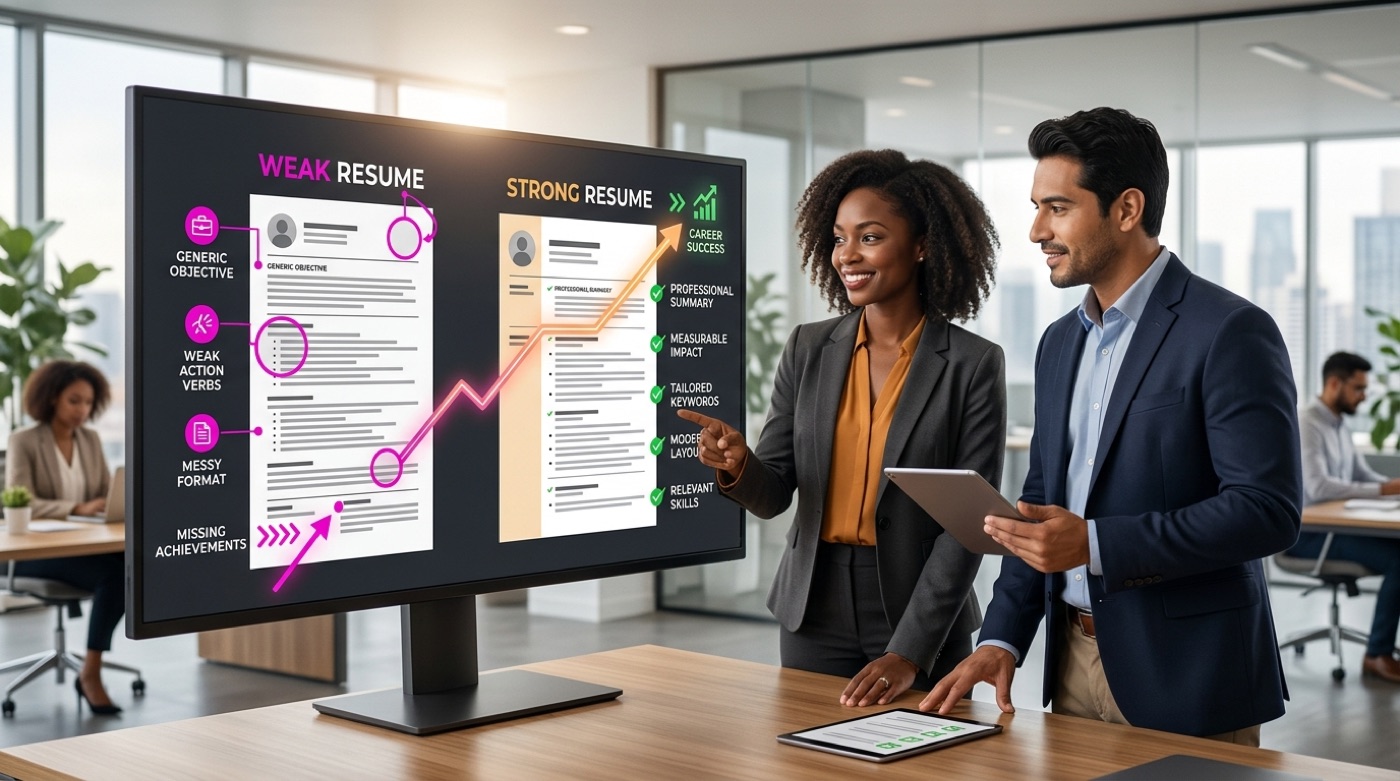
Weak or generic action verbs. Phrases like “responsible for” or “helped with” read as passive and vague, and they don’t tell an ATS — or a person — what you actually accomplished.
Missing quantified achievements. A bullet that says you “improved efficiency” scores lower than one that says you “cut processing time by 30%.” Numbers are one of the fastest ways to raise both your ATS score and a recruiter’s interest.
Buzzword clichés. Terms like “team player” or “hard worker” without supporting evidence get flagged as filler rather than substance.
Date and title inconsistencies. Overlapping employment dates, unexplained title changes, or mismatched formatting across jobs can confuse a parser and a hiring manager alike.
Unexplained employment gaps. A gap isn’t disqualifying on its own, but leaving it with no context often reads worse than a brief, honest explanation.
Parser-unfriendly formatting. Text boxes, embedded graphics, and multi-column layouts that hide content from an ATS remain one of the most common — and most fixable — causes of a low score.
Is an AI Resume Checker Free?
Most tools in this category offer a free basic scan that returns your ATS score along with a general sense of where your resume is strong or weak. That base tier is usually enough to catch obvious formatting problems and glaring keyword gaps.
Free score, paid deep edits
Usually included in the free tier:
- A base ATS score, often 0–100
- A general list of formatting or keyword red flags
- One scan against a single job description
Where free plans typically stop is the deeper layer:
- Line-by-line rewrite suggestions for individual bullet points
- A full breakdown by category rather than one overall number
- Unlimited job-description comparisons
- Export-ready formatting fixes
Those deeper features are usually gated behind a paid subscription, since they require more processing and often more nuanced content generation than a basic score.

Is It Safe to Upload Your Resume?
Your resume typically contains your full name, phone number, email, home address in some cases, and your entire work history — data worth protecting regardless of which tool you use.
Before uploading, check for:
- Encryption of your data both in transit and at rest
- A stated security standard, such as ISO 27001 compliance
- A clear privacy policy explaining what happens to your file after the scan
- The option to delete your data afterward
Not every AI resume tool meets strict privacy standards like GDPR, so it’s worth reading the fine print rather than assuming compliance by default.
Frequently Asked Questions
- What is an AI resume checker?
It’s a tool that analyzes your resume the way an applicant tracking system does, producing an ATS score along with specific fixes for keywords, formatting, and content.
- How does an AI resume checker work?
You upload your resume, the tool parses its text and structure, then returns an ATS score and a list of fixes — often after comparing your resume against a specific job description.
- What is a good ATS score?
A score of 80 or above is generally considered a strong position, while 90+ typically improves your odds of reaching a recruiter even further.
- Is an AI resume checker free?
Most tools offer a free basic scan and score. Deeper features like line-by-line rewrites and full category breakdowns are usually part of a paid plan.
- Is it safe to upload my resume to an AI checker?
It depends on the tool. Look for encryption in transit and at rest, a clear privacy policy, and the ability to delete your data, and read the policy before uploading.
- Can an AI resume checker guarantee a job?
No. It improves your resume and raises your odds of passing the ATS and catching a recruiter’s attention, but it cannot guarantee you’ll be hired.