
Common Resume Mistakes an AI Resume Checker Finds (Before a Recruiter Rejects You)
Most resumes are rejected by software, not people — and usually for a handful of fixable mistakes. An AI resume checker scans your resume the way an Applicant Tracking System (ATS) does and flags the errors that get it filtered out: broken formatting, missing keywords, typos, weak verbs, and duty lists with no numbers.

This guide walks through the most common resume mistakes a checker catches, why each one costs you interviews, and how to fix it — grouped by the two gatekeepers your resume has to pass: the ATS parser and the human recruiter. None of this guarantees an offer; it just keeps a strong resume from being thrown out for reasons that have nothing to do with your experience.
Why Small Resume Mistakes Get You Rejected
Before a human reads a word, an Applicant Tracking System parses your resume into structured data — name, dates, titles, skills — and stores it as fields a recruiter can search and filter. Software mediates almost every application now, which is exactly why a resume that reads fine on screen can still fail before anyone sees it.
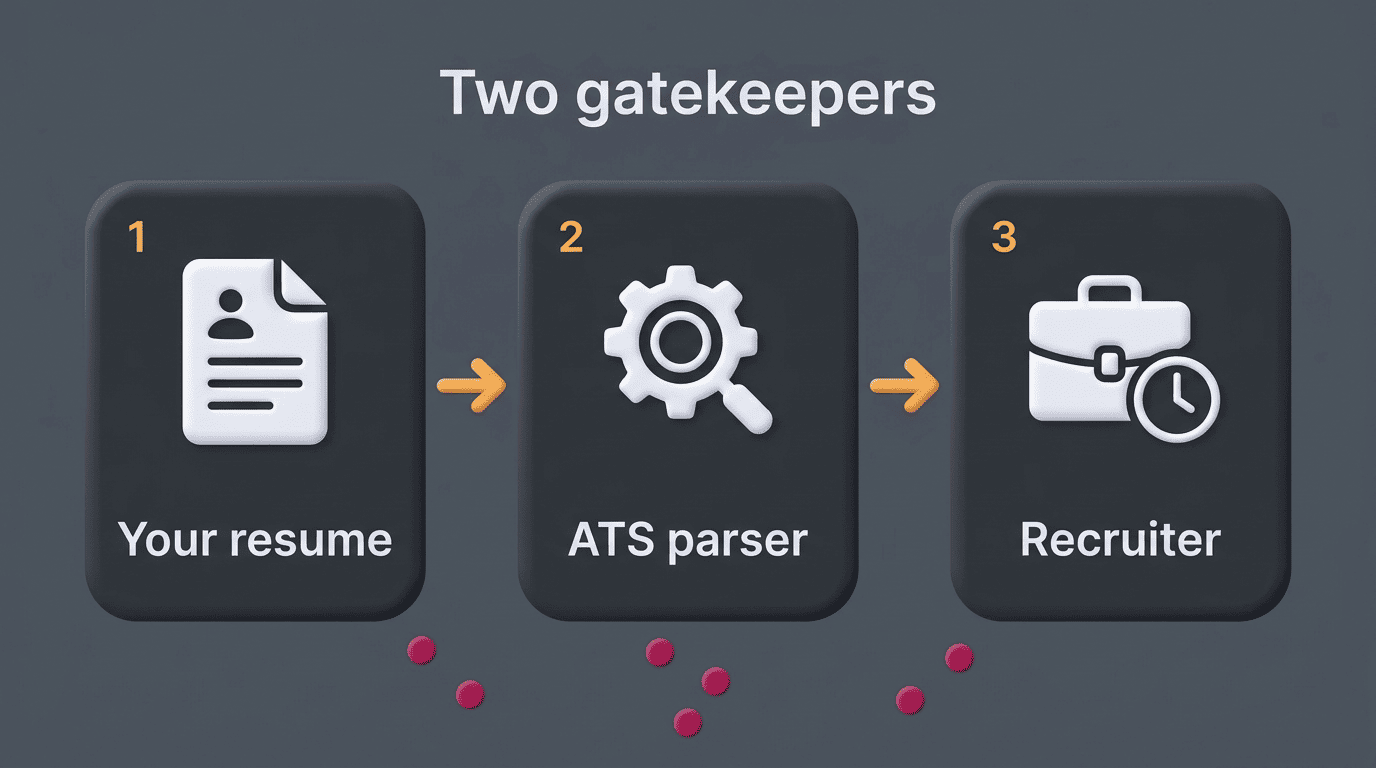
It’s often cited that 70-75% of applications never reach a human reviewer; the exact figure is disputed and no ATS vendor publishes a verified rejection rate, but the underlying pattern holds up — poorly parsed formatting and keyword mismatches are consistently what push qualified candidates out of the pool before a person ever opens the file. Even once a resume clears the parser, a recruiter typically spends only 6-8 seconds on the first look, according to TheLadders’ published eye-tracking study of recruiter behavior. That means surface-level mistakes — a cluttered layout, a typo in the first line, a duty list with no numbers — do double damage: they can trip the parser and, if they survive that, they cost you the recruiter’s attention too.
Formatting Mistakes That Break the ATS Parser
Formatting is where an AI resume checker earns its keep, because most formatting mistakes are invisible to the person who made them. The resume looks polished in a Word document or a design template; the parser sees a scrambled mess of text.
Columns, tables, graphics, and text boxes
An AI resume checker flags multi-column layouts, tables used for layout, skill-bar graphics, icons, and text boxes — all of which scramble the reading order or get dropped entirely when the ATS extracts text. A parser reads left to right, top to bottom, in a single stream; anything that depends on visual position to make sense (a two-column layout, a sidebar of skills) can come out as jumbled fragments or vanish from the parsed record.
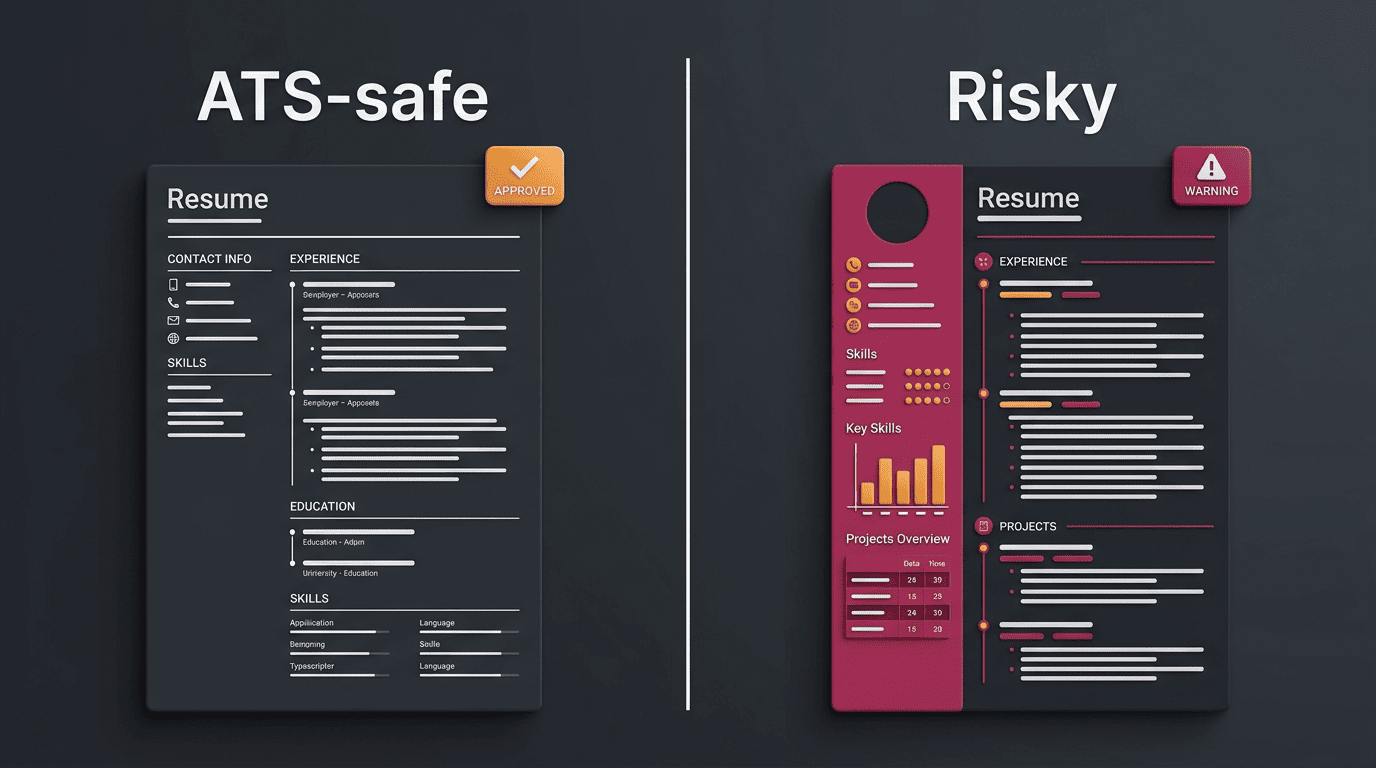
Elements that most commonly break ATS parsing:
- Multi-column layouts and side-by-side text blocks
- Tables used to lay out experience or skills
- Graphics, icons, and skill-level bar charts
- Text boxes and pull quotes
- Headers and footers containing contact information
There is no more sure-fire way to get your resume lost in an ATS than to clutter your resume with graphics, tables, and creative fonts.
Jazlyn Unbedacht, professional resume writer
Headers, footers, custom fonts, and creative section names
Contact details placed in the document header or footer are frequently ignored by the parser, since many ATS platforms only read the main body of the file. Non-web-safe or decorative fonts can render as gibberish characters once the text is extracted, even though the resume looks clean when opened normally.
Stick to a small set of standard section headings so the parser can classify each block correctly:
- «Work Experience» or «Professional Experience»
- «Education»
- «Skills»
- «Certifications»
A creative heading like «My Journey» instead of «Work Experience» may not be recognized at all, which means the ATS can leave that entire section unclassified. The same logic applies to fonts: Arial, Calibri, and Georgia at 10-12pt for body text and 14-16pt for headings parse reliably across nearly every system in use.
| Element | ATS-safe choice | Risky choice |
|---|---|---|
| Layout | Single column, linear order | Multi-column, sidebars |
| Fonts | Arial, Calibri, Georgia | Decorative or script fonts |
| Contact info | Placed in the document body | Placed in header/footer |
| Section names | Work Experience, Education, Skills | «My Journey,» «What I Bring» |
| Visuals | Plain text | Icons, skill-bar graphics, tables |
Keyword and Tailoring Mistakes
Formatting gets a resume parsed; keywords get it matched to the job. This is where most candidates lose points without realizing it, because the mistake is invisible unless you compare the resume to the posting line by line.
Missing or mismatched keywords
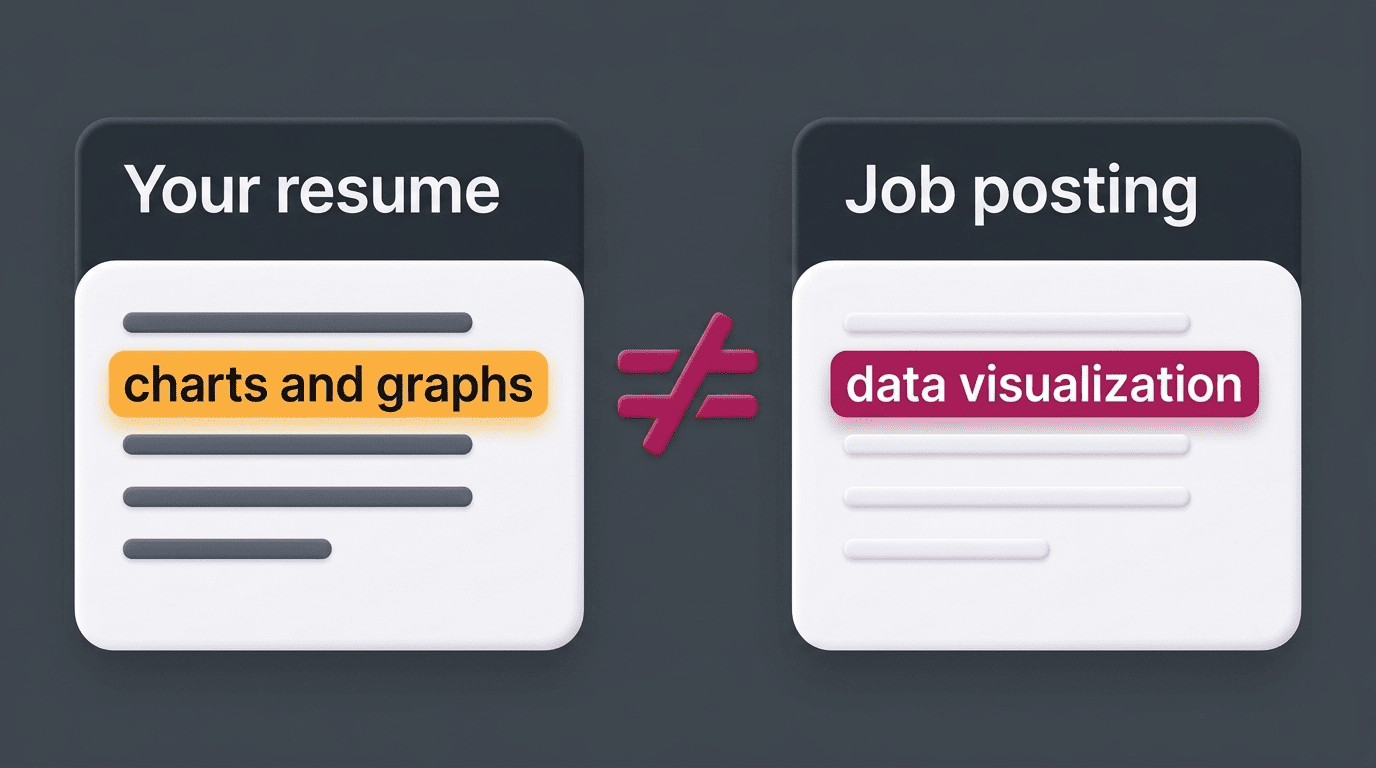
The most common content mistake is a keyword gap: the ATS looks for the exact phrases used in the job description, so «charts and graphs» on your resume won’t match a posting that asks for «data visualization,» even though a human would read them as the same skill. An AI resume review compares your resume to the posting and shows which required terms are missing so you can add them in your own words, not just paste them in.
The opposite mistake also hurts a resume’s score. Cramming in every possible synonym or repeating a keyword five times in one bullet reads as keyword stuffing, and both ATS platforms and human reviewers flag it as a red flag rather than a strength.
Before you submit, check that these fields actually mirror the language in the posting:
- Job title (yours vs. the one in the listing)
- Required hard skills and tools named in the description
- Certifications or licenses mentioned as requirements
- Industry terminology specific to the role
Reusing one generic resume
Sending the same resume to every posting almost guarantees a low match score on at least some of them, because job descriptions for the same title can vary widely in the exact skills and tools they name. Tailoring the professional summary, skills section, and even the job title you list to each posting is what moves the needle — it takes minutes per application and directly affects how many required terms the parser finds.
Grammar, Typos, and Weak-Verb Mistakes
Once a resume clears the parser and reaches a person, grammar and word choice become the mistakes that decide whether it gets a second look.
Spelling, grammar, and tense
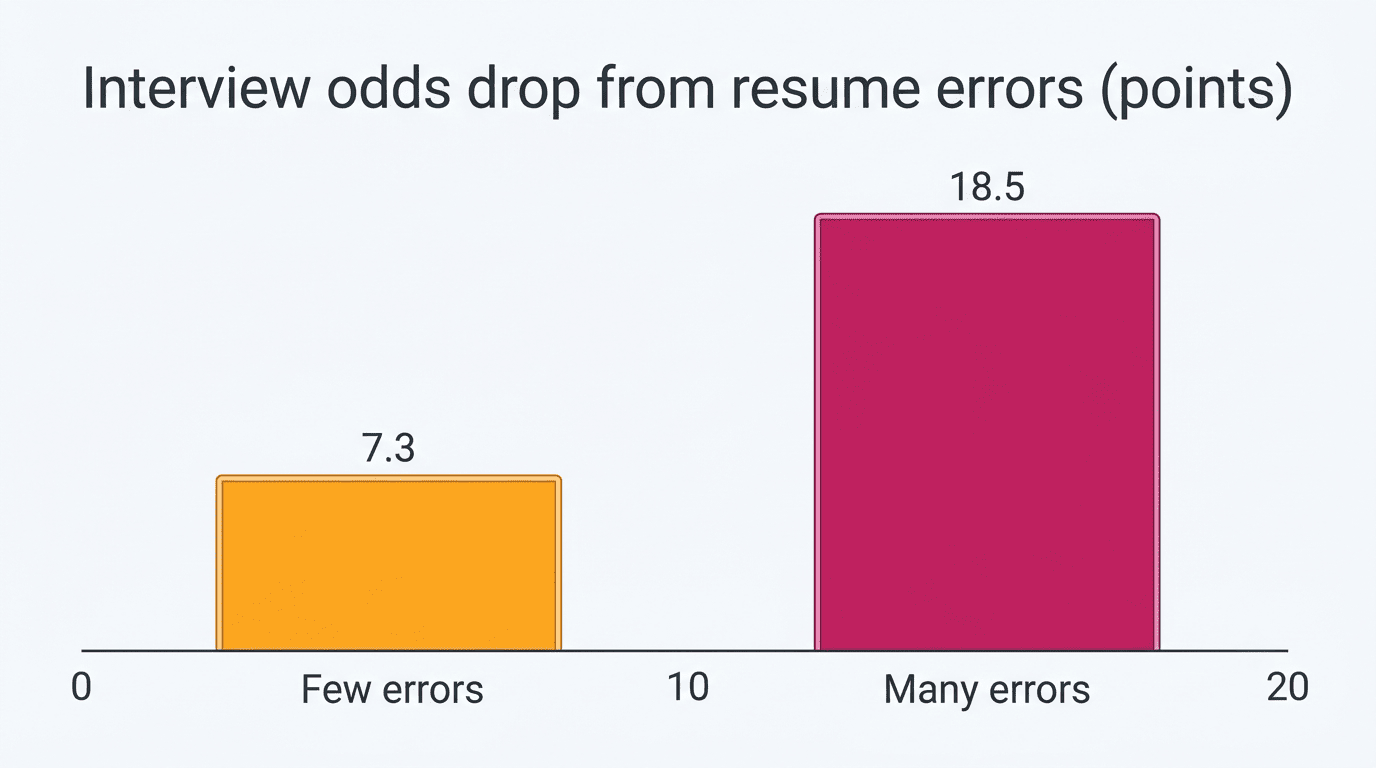
Recruiters treat typos as a proxy for carelessness on the job itself, not just on the page. Surveys of hiring managers put the share who say they’d reject a resume over spelling or grammar errors well over half, and by some counts as high as 77%. A peer-reviewed study published in PLOS ONE found that error-laden resumes had roughly an 18.5 percentage-point lower interview probability than error-free ones, with reviewers rating the same experience as less conscientious once a spelling mistake was present. An AI resume checker catches misspellings, inconsistent verb tense (mixing «managed» and «manage» across bullets), and casual phrasing that a quick self-proofread tends to miss.
Weak verbs and passive phrasing
Checkers flag filler openers like «responsible for,» «helped with,» and «involved in,» because they describe a duty rather than an action you took, and they suggest stronger, specific verbs instead.
| Weak opener | Stronger alternative |
|---|---|
| Responsible for managing a team | Led a team of 8 |
| Helped with the launch of a product | Launched a product |
| Involved in reducing costs | Cut costs by 18% |
| Worked on improving processes | Redesigned the onboarding process |
| Was tasked with training staff | Trained 12 new hires |
Content Mistakes: Duty Lists, Missing Metrics, and Small Credibility Slips
Not every mistake is about parsing or wording — some are about what the bullet actually proves.
Listing duties instead of results. A bullet like «Managed a team» tells a recruiter what your job was, not what you accomplished in it. «Managed a team of 8, cutting delivery time 30%» answers the question a hiring manager is actually asking: what changed because you were there.
Skipping numbers you already have. Many candidates have the metric — a percentage, a dollar figure, a headcount — and simply leave it out because it feels like bragging. Hiring-manager surveys consistently put the share who prefer measurable achievements over duty descriptions in the 75-90% range, and resumes with quantified results have been linked to meaningfully higher callback rates than resumes without them.
An unprofessional email address or a mismatched LinkedIn profile. A cute personal email from a decade ago, or a LinkedIn URL and headline that contradict the resume’s job titles, are small details that undercut an otherwise strong page. An AI resume checker flags both, since recruiters do check the link before they call.
Bullets are worth rewriting if any of these apply:
- The bullet starts with a duty («Responsible for…») instead of an action you completed
- There’s no number — no percentage, dollar amount, headcount, or timeframe
- The bullet could describe almost anyone in that role, not specifically you
- It’s longer than two lines but still doesn’t say what changed as a result
Date, File-Format, and 2026 AI-Content Mistakes
A handful of remaining mistakes sit outside formatting and wording, but they’re just as common — and just as easy to fix once you know to look for them.
Inconsistent dates and risky file formats
Mixed date formats — using «’21» in one entry and «2021» in another, or dropping the month entirely — can break the tenure calculation an ATS runs to estimate how long you held each role. A consistent «Month YYYY» format across every entry avoids the problem entirely.
File format matters just as much. Image-based files (.jpg, .png, scanned PDFs) contain no extractable text at all, so the parser sees a blank document. «Print to PDF» exports from some design tools strip out the underlying text layer even though the file looks normal when opened. A clean .docx file or a PDF exported directly from a word processor (not printed to PDF from an image) parses most reliably.
Unedited AI-generated content — the 2026 red flag
A newer mistake has emerged as AI writing tools have become common: submitting resume text that reads as obviously AI-generated, with generic phrasing and no specific detail. In a 2026 Resume Genius survey of 1,000 U.S. hiring managers, about 80% of hiring managers said they can identify AI-written resume text, and separate industry surveys put the share who automatically dismiss a suspected AI-written resume at close to half. The fix isn’t to avoid AI drafting tools — it’s to treat the output as a first draft, rewrite it in your own voice with your own specifics, then check your resume with AI for the technical errors covered above. Treat any score a checker gives you as a diagnostic of what to fix, not a guarantee of an interview or a job offer.
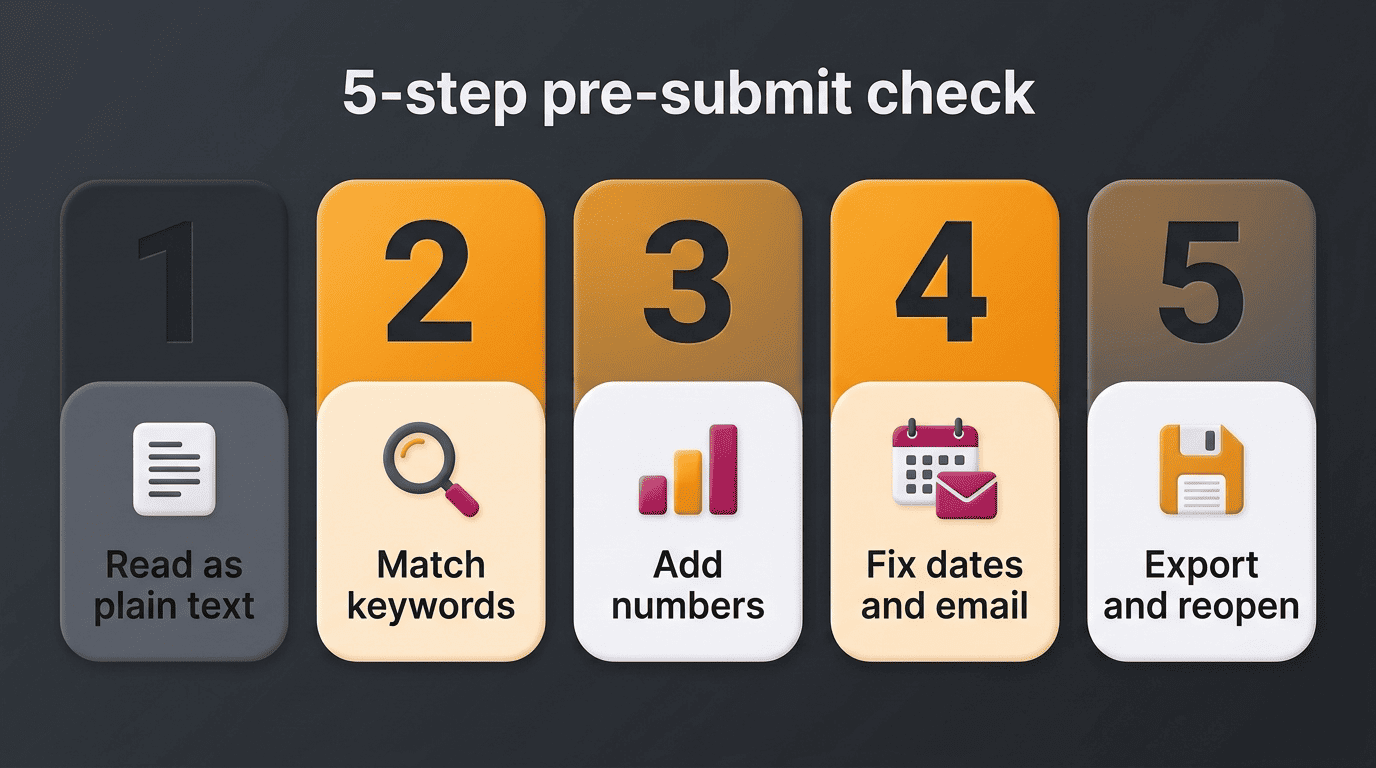
A 5-step pre-submit check
Run through this sequence before you send a resume out, whether or not you use a checking tool:
- Open the file as plain text (or copy-paste it into a blank document) to see what an ATS would actually read
- Compare your bullets against the job description and note any required terms that are missing
- Read every bullet and ask whether it lists a duty or a result — add a number wherever you can
- Check that every date uses the same «Month YYYY» format and that your email and LinkedIn URL look professional
- Export as .docx or a properly generated PDF, then reopen the exported file to confirm nothing shifted